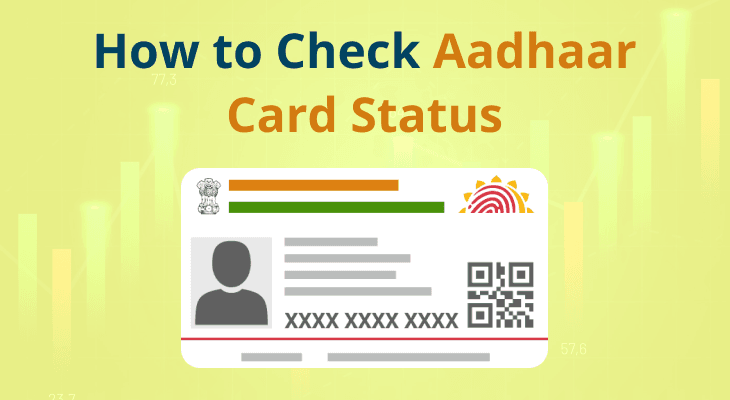
How to Check Aadhaar Card Status Online - Track Your Application in 2025
What is Aadhaar Card?
Aadhaar is a 12-digit unique identification number issued by UIDAI (Unique Identification Authority of India) to all residents of India. It's based on biometric and demographic data.
Format: 1234 5678 9012 (12 digits)
Why Check Aadhaar Status?
- ✅ Track new Aadhaar enrollment
- ✅ Check update request status
- ✅ Verify if Aadhaar is generated
- ✅ Download E-Aadhaar
- ✅ Know rejection reasons
How to Check Aadhaar Status Online
Method 1: Through UIDAI Website
Step 1: Visit UIDAI Official Website
Step 2: Click on "Check Aadhaar Status"
Step 3: Enter your 14-digit Enrollment ID
Step 4: Enter date and time of enrollment
Step 5: Enter security code (captcha)
Step 6: Click "Check Status"
Step 7: View your Aadhaar generation status
Method 2: Through DocsAI (Instant & Easy)
Step 1: Login to DocsAI.in
Step 2: Go to Services → Aadhaar Status Check
Step 3: Enter Enrollment ID
Step 4: Get instant status with detailed information
Method 3: Via SMS
Send SMS to 51969:
UID STATUS <14-digit Enrollment ID>
Example: UID STATUS 12345678901234
Method 4: Call UIDAI Helpline
📞 Call: 1947 (Toll-free)
Provide enrollment ID to check status
Understanding Aadhaar Status Messages
Status: "Aadhaar Generated"
✅ Your Aadhaar has been successfully generated
✅ You can download E-Aadhaar
✅ Physical card will arrive by post
Status: "Under Process"
⏳ Your application is being processed
⏳ Wait for 60-90 days
⏳ Check again after a few days
Status: "Rejected"
❌ Application rejected due to issues
❌ Check rejection reason
❌ Reapply with correct information
Status: "On Hold"
⚠️ Additional verification required
⚠️ Visit nearest Aadhaar center
⚠️ Carry original documents
How to Download E-Aadhaar
Step 1: Visit E-Aadhaar Portal
Step 2: Enter Aadhaar number or Enrollment ID
Step 3: Enter security code
Step 4: Enter OTP sent to registered mobile
Step 5: Download password-protected PDF
Step 6: Password is: First 4 letters of name (CAPS) + Year of birth
Example: Name = Rahul Kumar, DOB = 1990 → Password = RAHU1990
Common Issues & Solutions
❌ Issue: "Enrollment ID not found"
✅ Solution: Check enrollment slip, verify 14-digit ID, wait 24 hours after enrollment
❌ Issue: Status not updating
✅ Solution: Wait 60-90 days, clear browser cache, try different browser
❌ Issue: Can't download E-Aadhaar
✅ Solution: Check if status is "Generated", verify mobile number, try after 24 hours
❌ Issue: Forgot enrollment ID
✅ Solution: Check enrollment slip, email, SMS, or visit enrollment center
Aadhaar Services on DocsAI
- 🔍 Aadhaar Status Check: Instant status verification
- 📝 Aadhaar Update: Update mobile, address, or other details
- ✅ Aadhaar Verification: Verify Aadhaar authenticity
- 📥 E-Aadhaar Download: Download digital Aadhaar
- 🔗 Aadhaar-PAN Link: Link Aadhaar with PAN
FAQs
Q: How long does Aadhaar generation take?
A: Typically 60-90 days from enrollment date.
Q: Can I check status without enrollment ID?
A: No, enrollment ID is mandatory for status check.
Q: Is E-Aadhaar valid everywhere?
A: Yes, E-Aadhaar is legally valid and accepted everywhere.
Q: What if my Aadhaar is rejected?
A: Check rejection reason and reapply with correct information.
Q: Can I expedite Aadhaar generation?
A: No, processing time is standard. However, using DocsAI ensures error-free application.
Conclusion
Checking Aadhaar status online is simple and can be done anytime. Use DocsAI for instant status checks, expert assistance, and seamless Aadhaar services.
Check your Aadhaar status now: Click here
Last Updated: October 2025 | Reading Time: 7 minutes

Be the first to comment on this post!